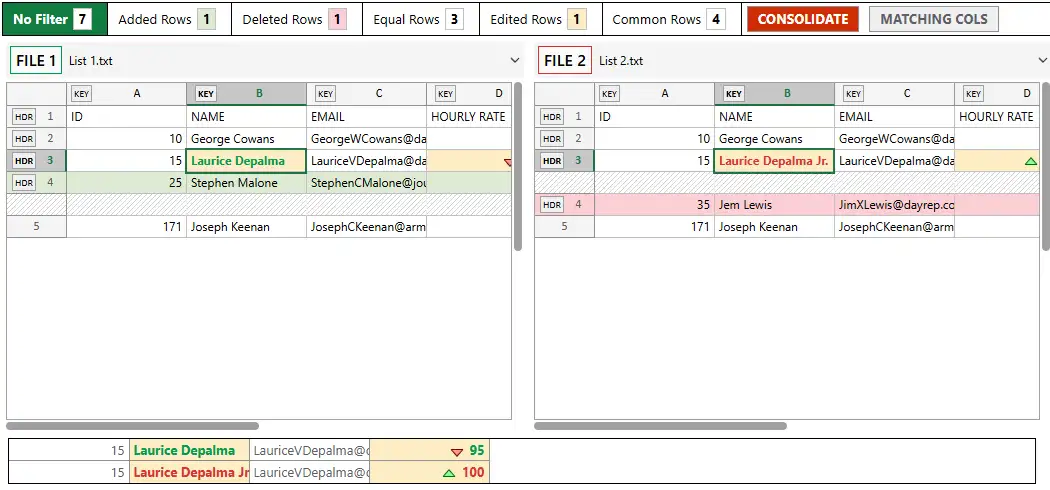
Compare Tab Delimited Text Online
Tables are often saved and transmitted in the text format with delimiter character.
Delimiter could be tab, space, comma or any other symbol you would like to use.
How to compare tables in this case?
-
Open Compare Text Online page
Below is the direct link to this page:
-
Open your Files
Open two text files, you are going to compare on the xlCompare.com
In our example we will compare 2 simple tables
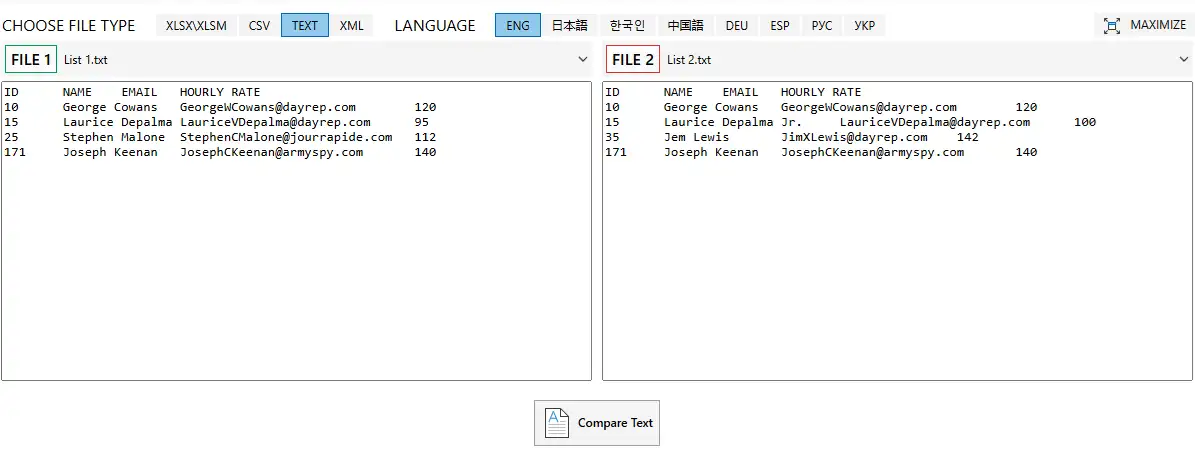
-
Click the Import button
Expand the heading area by clicking the down arrow on right side.
Open and Import to Table buttons appear

-
Select the Delimiter
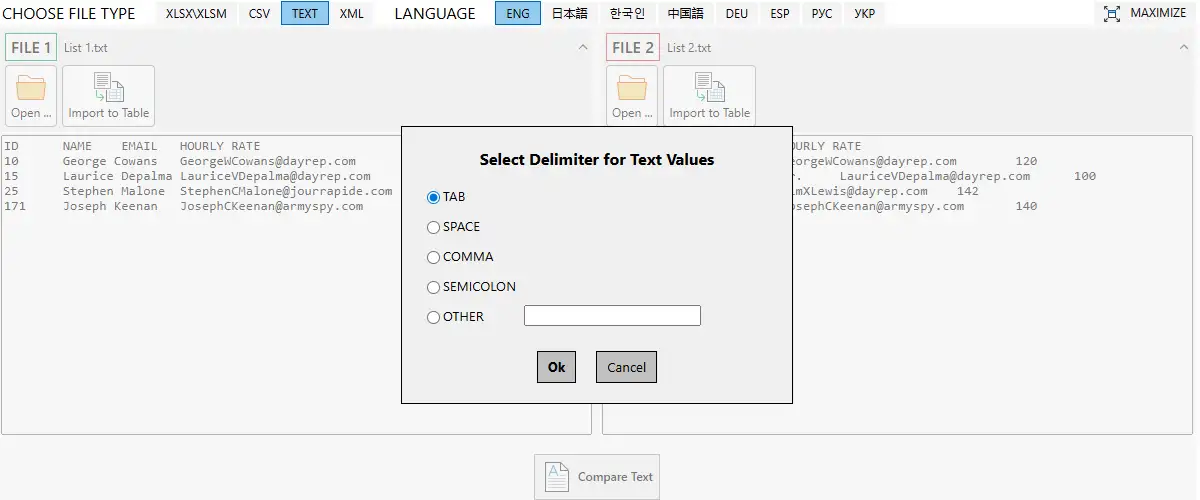
Select the appropriate delimiter. On our example this is TAB character. We use default selection.
Repeat the conversion for the right panel.
-
Compare 2 Tables
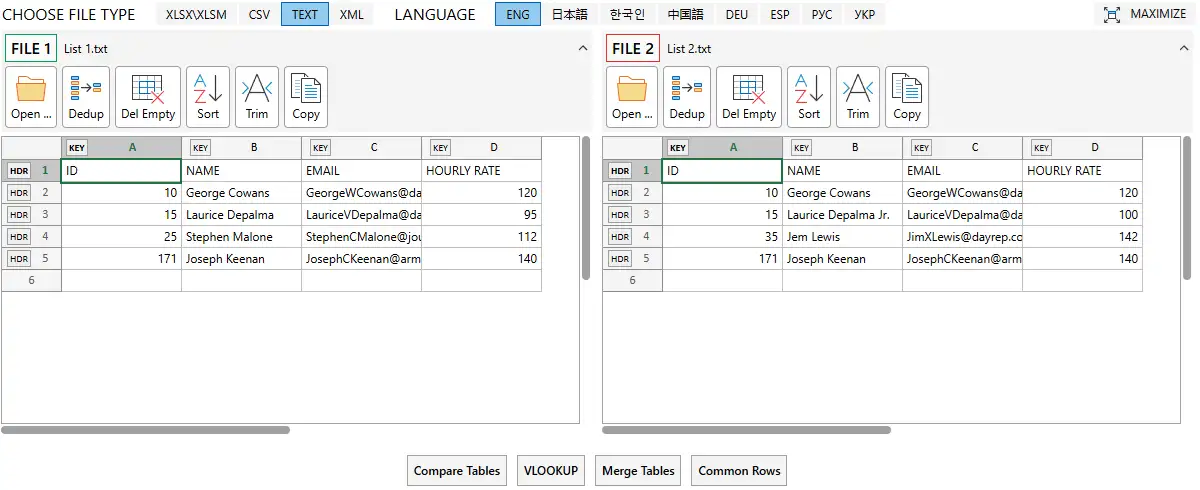
Select heading rows and key columns in the tables. This is optional by important step.
Click the Compare Tables button to get the report.